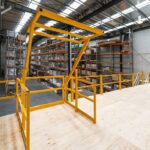
Pallet Racking Push-Through: Causes and Controls
A pallet pushed too far during loading can drop out of the back of a rack. That puts stock and anyone working near the far side at risk, often with no warning to the driver.
This guide explains why push-through happens, who it puts at risk, and which checks and controls reduce it.
What push-through means
Push-through is when a pallet is placed so far into a bay that it passes beyond its supports. In a single row, the pallet can fall behind the rack, into an aisle, walkway or wall gap. In back-to-back racking, it can enter the space behind the opposite row.
Why it happens
- The driver can’t see the rear edge of the pallet once it passes the beams.
- Forks stay engaged while the truck moves forward.
- An off-centre approach pushes one side of the load further than the other.
- Pallet or load size changes. A different pallet size or an overhanging load shifts how the load sits on the beams.
- Nothing stops the pallet. Without a backstop, rear protection or similar control, a pallet that travels too far has nothing to catch it.
Where the risk is highest
- Single rows with a walkway, doorway or work area behind them.
- Back-to-back racks where people can access the space between rows.
- Bays where the loads are tall, overhanging or poorly seated.
Controls that reduce the risk
- Centre and seat every pallet. Before withdrawing the forks, the driver should confirm the pallet is supported on both beams and hasn’t moved through the bay.
- Stop before the back. Train drivers to place the pallet and withdraw, not to push until it stops.
- Fit rear protection or backstops suited to your system. Options vary by racking system. Ask your supplier what suits yours, and see our tip on rear protection for single rows.
- Control the area behind the racking. Keep people out of the space behind a rack during loading and unloading. If access is needed, set up a process that separates them from forklift movements.
- Match pallets to the bay. Check that pallet and load size fit the rack’s design and capacity information. Our guide to beam, level and bay load ratings explains what the figures cover.
- Review after changes. New pallet sizes, stock dimensions or handling methods can change how loads sit. Brief drivers before the change goes live.
Add these checks to your routine
- Walk both faces of back-to-back racking.
- Look for projecting loads and unevenly seated pallets.
- Check that backstops or rear protection are present, undamaged and in the right position.
- Record the bay and take it out of use if its condition is a risk.
A backstop doesn’t replace safe loading procedures or enough rack capacity. Controls work together.
If a pallet is pushed through
- Keep people clear and stop loading nearby.
- Take the bay out of use until it has been assessed.
- Record the location and what happened.
- Arrange an assessment before the bay is used again, including checking for damage to the rack.
Get advice for your racking
For protection that suits your layout, see pallet racking protection. You can contact Colby Dandenong and send your layout or a few photos of the affected racking. Confirm requirements for your site against AS 4084:2023 and WorkSafe Victoria guidance, especially after changes to the rack or operation.
Frequently Asked Questions
What is a pallet push-through?
It’s when a pallet is pushed beyond its support during loading and ends up behind the rack or in the space behind an opposing row.
Why can’t the driver tell when it’s happening?
Once the pallet passes the beams, the driver can’t see its rear edge from the cab. That’s why placement procedure and rear protection matter.
Does a backstop solve the problem on its own?
No. It helps catch a pallet that travels too far, but drivers still need to place pallets correctly and the bay needs the right capacity.
Who should be kept away from the back of racking?
Anyone not directly involved in the loading task. Set up a process for any access that’s needed while forklifts are working.